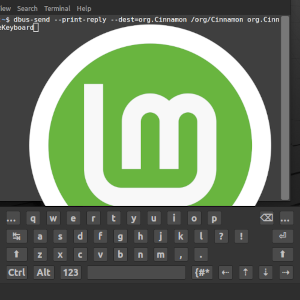
How To touchscreen-toggle a virtual keyboard in Linux Mint
A brief tutorial to enable touch-screen toggling of the virtual keyboard in Linux Mint.
Posted on March 9th, 2023

Getting started with Mastodon x WordPress
If you have a WordPress blog and a Mastodon account, the three things you’re going to want to do are verify your identity, embed toots, and syndicate your blog on the fedirverse. This post briefly describes how to do all three.
Posted on November 19th, 2022

Testing ActivityPub syndication
If Mastodon replaces Twitter as the rising microblogging platform, the “super-RSS” ActivityPub protocol it uses re-opens the window for blogging. I know this instance is advertising to the fediverse and is discoverable on Mastodon, but I need to test whether new posts syndicate.
Posted on November 8th, 2022

On viral quick-fixes for the logistics crisis
At the height of the West Coast logistics crisis, a dot-com logistics made certain allegations and policy demands in a thread that went viral. I investigated and found that it suggested a number of useless and damaging quick-fixes which had no relation to the crisis.
Posted on October 24th, 2021
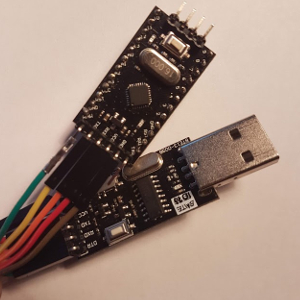
Arduino IDE setup for ATmega328P
I had some difficulty remembering how to set the Arduino IDE to upload sketches to an Arduino Pro Mini clone so I’m keeping a record this time.
Posted on January 16th, 2020

“By What Authority?” Trigonometry of EO 13769 at the Border
When CBP started removing refugees, immigrants and non-immigrants pursuant to a “Muslim Ban”, I went looking for the legal authority.
And found that CBP didn’t know either.
Posted on February 2nd, 2017

On the constitutionality of a religious test for immigration
I have found two ways in which Trump’s ban on Muslim visitors could be enacted. The first is a constitutional amendment, the second is a declaration of war. (Well that aged poorly. -ed)
Posted on May 11th, 2016
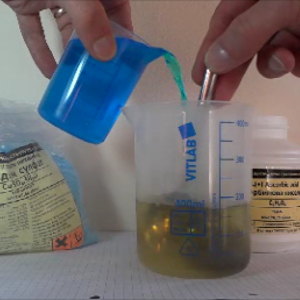
Making a conductive copper ink pigment
This is part 1 of a project to DIY a circuit-writing pen: making a copper pigment. I thought I’d start with easy methods and readily available materials. This is a simple chemistry experiment suitable for classrooms, garage chemists and hobbyists. The pigment produced conduct electricity pretty well.
Posted on July 4th, 2014

Uncle Sam hunts Purple Squirrels too
In 2011, in the pages of the Wall Street Journal, Wharton School’s Peter Cappelli torpedoed the “skills gap” excuse for high unemployment. “With an abundance of workers to choose from, employers are demanding more of job candidates than ever before.
Posted on April 23rd, 2014
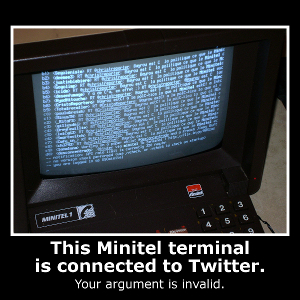
Minitel (1979-2012): its past and our future
2012 is the year that Europe shuts down its proto-Internets. First, the BBC announced that teletex was getting the axe and today France is shutting down the Minitel x.25 network. These technologies, both started in the late 1970s, were ahead of their times and, in many ways, may still be.
Posted on June 30th, 2012

CFP: Communication and Global Power Shifts
SIMON FRASER UNIVERSITY SCHOOL OF COMMUNICATION Communication and Global Power Shifts An International Conference in Celebration of the 40th Anniversary of the School of Communication, Simon Fraser University Vancouver, Canada, June 6-8, 2013 The volatile and chaotic nature of the current global system and the central role of ‘communicative capital’ […]
Posted on June 9th, 2012

On the revisionist history of British microcomputers
Small errors of history presented in this Guardian article sum up to a government directed, top-down history of diffusion, learning & innovation. In any history of the British adoption of microcomputers, Sinclair should earn top billing for popular influence over the BBC/Acorn.
Posted on June 8th, 2012

Comparing Terms of Service for DropBox, Google Drive & Microsoft SkyDrive
A textual comparison between the Terms of Service for DropBox, the Google Drive, and Microsoft SkyDrive, reveals that they are not materially different in the licenses granted, rights claimed or uses permitted.
Posted on April 25th, 2012
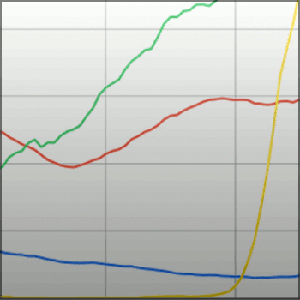
ngram.sh: a script for extracting Google Ngram data
The Google Ngram Viewer is a database browser used to chart the relative frequency of words or phrases. The data source is the Google Books database and the graphic engine is Google Charts. It’s cool. It’s pretty. It doesn’t easily give up the raw data. This script helps.
Posted on February 13th, 2012

How to make Facebook pages serve content from your website
This is a short HowTo for making a Facebook page and inserting an iFrame from to a website.
Note: SSL became mandatory for page tab apps in October 2011. This post has not been updated.
Posted on August 7th, 2011

Host your own real-time Twitter wall
This article describes the use of a simple AJAX-powered webpage to display a real-time feed from Twitter. It suggests use cases and reasons to pair it with an IRC webapp to provide a back channel to noisy hashtags.
Note: code uses Twitter REST API v1. This post has not been updated.
Posted on August 6th, 2011